Amatron is a Security system supplier establishment in Cape Town, Western Cape, South Africa
Amatron – Technology-driven Security Solutions in Cape Town, Western Cape
Amatron operates as a South African online retailer specialising in technology-driven security products designed to empower customers to control their own security systems. Serving Cape Town and the broader region, the business emphasises user-friendly solutions that blend wireless convenience with practical monitoring features. The product range centres on modern alarm and surveillance technology, with a clear focus on empowering home owners and small businesses to manage security settings remotely and efficiently.
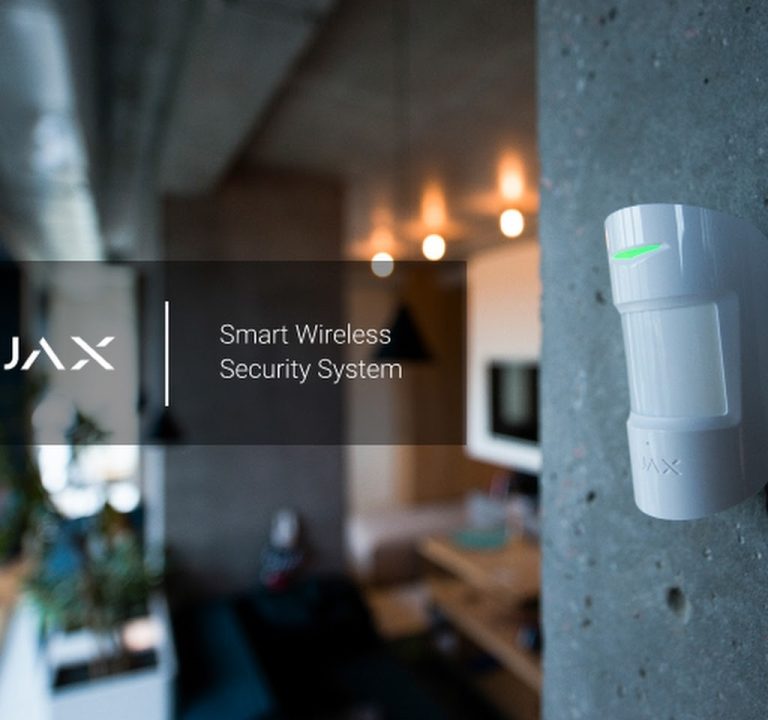
Key product families include Ajax alarm systems and Ajax cameras, as well as a selection of associated outdoor hardware and accessories. The Ajax range is presented as a wireless, easy-to-install option that requires minimal keypad programming; devices are typically paired with a smartphone app for real-time control and monitoring. The cameras feature AI-enabled detection (such as human, vehicle and pet recognition) and provide video clips directly to the user’s mobile device, creating a searchable event timeline. In addition to security systems, Amatron markets Byrna non-lethal self-defence devices, positioned as a practical option for personal safety in travel, outdoor work, or areas with elevated risk.
From a customer experience standpoint, Amatron presents itself as a retailer that values its clientele. The site highlights a loyalty-driven approach, with a rewards programme designed to deliver discounts and additional incentives. Delivery is described as free within South Africa, with typical delivery times stated as 2–5 working days depending on location. The Returns Policy allows 14 days for items from delivery, subject to intact packaging, while product warranties range from one to two years, excluding batteries. This combination of online convenience, clear product information, and a straightforward returns and warranty framework shapes a consumer experience that leans on self-service capability, supported by responsive product support via described channels.
The installation and usage narrative associated with Amatron’s Ajax products stresses a simple setup pathway. The Ajax system is depicted as fully wireless, requiring no specialised keypad programming. Instead, devices are mounted after being labelled in the Ajax App, enabling immediate user control and remote management. The integrated camera option aligns with the broader security ecosystem, offering AI-assisted event detection and a unified experience with the alarm system. This approach suits customers who prefer self-monitoring with the option to connect to an armed-response service if required, reflecting flexibility in how security is managed.
In terms of typical project types, the emphasis appears to be on residential and small-business environments where straightforward installation and app-based operation are advantageous. The emphasis on wireless components and app-driven control suggests a tendency toward scalable, modular systems that can be expanded with additional sensors or cameras as needs evolve. For customers contemplating a security upgrade, Amatron presents a pragmatic menu of products designed to upgrade existing setups or to establish a new, technology-forward security presence in a Cape Town setting.
Practical guidance that can assist customers planning a security upgrade includes several considerations. Coverage planning is important to ensure sensors and cameras are positioned to optimise detection and minimise blind spots. When planning a system, attention to lighting and network readiness is beneficial; ensuring stable internet connectivity and a reliable router helps to maximise real-time alerts and video reliability. Password hygiene is recommended to protect access to the Ajax App and associated accounts—secure, unique passwords and regular updates are prudent habits. For cameras and recording, customers may wish to think about retention needs, determining how long footage should be stored and how it is accessed in the event of an incident. Outdoor installations should account for weatherproofing and secure mounting points, with attention to signage and privacy considerations for any camera presence in shared spaces. Finally, discussions around backup power are sensible, particularly for critical applications that should remain functional during outages.
Operational notes include a focus on rapid and straightforward procurement through an online platform, with delivery to South African addresses and a 14-day returns window. While specific business hours are not stated, the online nature of the store supports 24/7 browsing and ordering, with support materials accessible via product pages. The service area is described as encompassing South Africa, with Cape Town and the Western Cape region highlighted by the business’s stated location and focus.
In summary, Amatron presents a practical, technology-forward option for individuals and small enterprises in Cape Town seeking wireless, app-driven security and surveillance solutions. The Ajax ecosystem, coupled with cameras and accessories, offers a cohesive approach to modern home and small-office protection, with support for self-monitoring or integration with external response services as desired. The customer journey—from site assessment through quotation, installation (via simple, label-and-mount setup), to commissioning and user handover—appears aligned with the needs of users seeking control, flexibility, and straightforward security upgrades.
Cape Town
Western Cape
Hout Bay, Cape Town
South Africa


Security System and CCTV Installation Services in Cape Town
<pIn Cape Town and the broader Western Cape, security system providers offer a comprehensive range of services designed to deter crime, protect assets and support rapid responses to incidents. Clients commonly engage specialists for CCTV installation, security camera systems, and the integration of modern access control, alarm systems, intercoms and related technologies. The scope extends to both analogue (HD) CCTV and IP camera networks, with solutions tailored to the residential, commercial and industrial sectors.
<pA typical site assessment is the initial, essential step. Technicians evaluate the layout, entry points, blind spots, and typical activity patterns to determine camera coverage, focal lengths, and mounting heights. Choices between IP and analogue systems are discussed in relation to bandwidth, storage needs and future scalability. For many projects, a hybrid approach combines the reliability of analogue HD for certain zones with the flexibility of IP cameras for remote access and analytics. This planning phase also considers local regulations, privacy signage, and safety requirements to ensure compliant installation.
<pCamera placement is guided by the objective of achieving comprehensive coverage while minimising vandalism risk and the potential for blind spots. Dome cameras are often selected for indoor and ceiling-mounted use due to their discreet appearance, while bullet cameras provide long-range viewing for perimeters. PTZ (pan-tilt-zoom) cameras are useful for dynamic monitoring of larger exterior areas. Night vision and low-light performance are major considerations, with infrared (IR) illumination or colour night vision options depending on lighting conditions and desired detail at night. Adequate lighting or supplemental illuminators are frequently planned to enhance image quality during the hours of darkness.
<pRecording and storage are central to any security system. IP cameras commonly stream to network video recorders (NVRs) or cloud-based storage, enabling scalable retention periods and remote viewing via mobile devices or desktops. Analog HD systems typically rely on digital video recorders (DVRs) with defined channels and storage capacity. Network considerations include bandwidth management, wireless versus wired connections, and the robustness of the facility's IT infrastructure. Security installers may advise on network segmentation and uninterrupted power supplies (UPS) to maintain operation during outages.
<pBeyond camera systems, services often extend to access control and alarm integration. Integrated systems allow door sensors, electric fencing controls, intercoms and alarm panels to communicate with cameras, enabling coordinated responses. Intercoms support secure entry for visitors, while electronic fencing integration can provide perimeter monitoring and automated alerts. Regular maintenance visits, firmware updates, and proactive diagnostics help sustain performance and reduce downtime. Troubleshooting typically addresses connectivity issues, camera fidelity, recording gaps, and alarm false positives, with clear guidance on timely upgrades when technical capabilities become outdated.
<pWhen choosing a security installer in Cape Town, clients should consider experience with both urban and rural premises, adherence to local codes, and the ability to deliver end-to-end service—from planning and installation to ongoing support. Practical timelines depend on the project scope, the number of cameras, the complexity of access control integration, and the need for any civil works or electrical enhancements. A well-structured project plan outlines milestones, delivery dates, and commissioning procedures to ensure a smooth, well-documented handover.
<pOverall, the services available in Cape Town's security sector emphasise adaptable systems, resilient infrastructure, and clear pathways for future upgrades. By focusing on site-specific planning, robust network design, appropriate camera technology, and thorough maintenance, customers can achieve effective protection that aligns with safety standards and lifestyle requirements.
- Site assessment and coverage planning
- IP and analogue CCTV options
- Camera types: dome, bullet, PTZ
- Night vision and lighting considerations
- Recording, storage and remote access
- Access control and alarm integration
- Intercoms and perimeter fencing integration
- Privacy, signage, compliance and safety
- Maintenance, troubleshooting and upgrades
Sorry, no records were found. Please adjust your search criteria and try again.
Sorry, unable to load the Maps API.